How to Play The Crew 2 on Linux with Proton (A Setup That Actually Works)
The Crew 2 launched in 2018 and spent the next seven years listed as unplayable on Linux. Uplay DRM, BattlEye, and one particularly sneaky DLL kept it that way. I published the first working launch procedure on r/linux_gaming, where the post drew 84K views and turned into a running troubleshooting thread. This is the consolidated version.
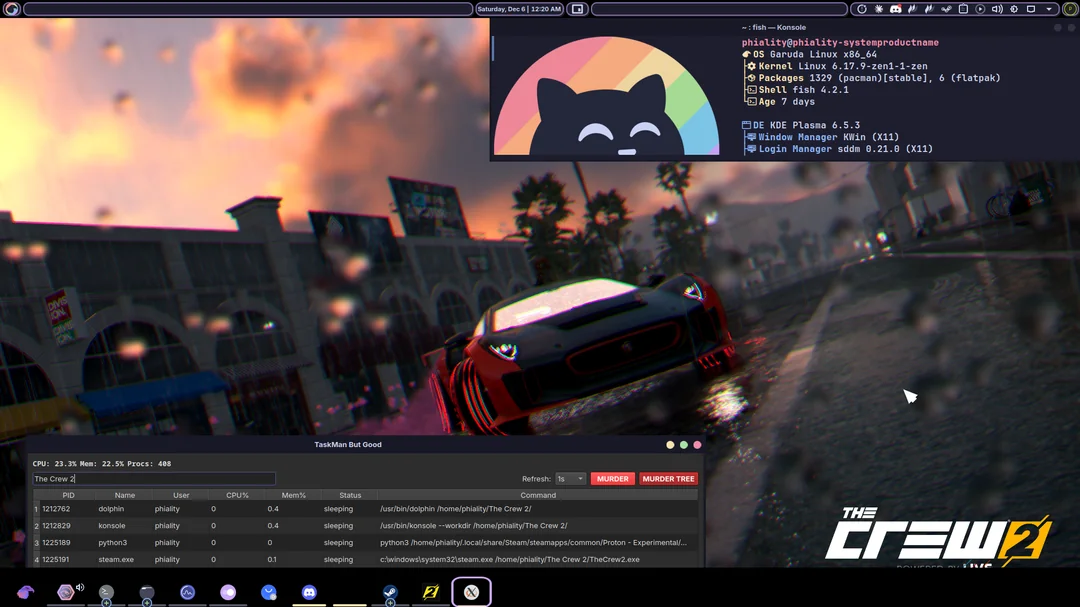
The culprit nobody suspected: a recording overlay
The game didn't fail because of DRM or anti-cheat directly. The immediate crasher was d3dgear64 — a .NET-based recording overlay that ships with the game and touches the D3D pipeline at startup. Under Wine it crashed the process with no useful output, which is why years of "try this Proton version" threads went nowhere. Disable it and the picture changes completely.
The working setup
Four ingredients: get BattlEye out of the way, set the right DLL overrides, use the right Proton build, and point everything at the actual game binary.
1. Disable BattlEye (RUNE crack)
BattlEye's Proton support is opt-in per title, and Ubisoft never enabled it for The Crew 2 — so the launcher just refuses under Wine. This is an offline setup, and the prerequisite is running a BattlEye-free build. The RUNE crack replaces the DRM/anti-cheat launch path so the game boots straight into its binary with BattlEye out of the loop. Without it, none of the steps below get you past the launcher. (This is single-player/offline only — don't take a cracked, anti-cheat-stripped build near online play.)
2. DLL overrides
Set these overrides for the game's prefix (via WINEDLLOVERRIDES in the Steam launch options or winecfg):
uplay_r1_loader64 = native, builtin
d3dgear64         = disabled
atiadlxx          = builtin
atiadlxy = builtinuplay_r1_loader64=n,b— the Uplay loader needs the game's shipped native copy tried first.d3dgear64=d— the recording overlay, disabled entirely. This is the one that matters.atiadlxx/atiadlxy=b— forces the AMD ADL libraries to Wine's builtins so the game's GPU queries don't wander off.
3. Proton version
Use GE-Proton10-26. During the Reddit thread I tracked a launch-blocking regression to a specific Proton Experimental build (Dec 22) — if you're on Experimental and it crashes, that's why. Downgrading to GE-Proton10-26 was the reliable fix for everyone who hit it.
4. Launch the game, not the BattlEye launcher
A recurring failure in the thread: people's setups were targeting the BattlEye launcher executable instead of the game binary. If your Proton log shows the wrong exe being spawned, fix the target. The other common one was file-hash mismatches from half-synced installs — verify your files first (with one caveat below).
5. Keep your saves
The game's offline saves live at Documents/The Crew 2/Save/<AccountId>/ inside the prefix. Copy that folder over from an existing Windows install and your progression carries across.
Debugging your own launch
If it still doesn't start, read the Proton log before changing anything else. In the Reddit thread, every single "doesn't work for me" resolved to one of three things: wrong exe targeted, a mismatched file that verify-integrity fixed, or a missing DLL override. The log tells you which one you have within the first screen of output.
FAQ
- Does The Crew 2 work on Steam Deck?
- The same override + GE-Proton approach applies — the Deck runs Proton like any other Linux box. The overlay override (
d3dgear64=d) is still the critical piece. - Does BattlEye block online play on Linux?
- BattlEye's Proton support is opt-in per title and Ubisoft never enabled it for The Crew 2. This setup uses a BattlEye-free (RUNE) offline build — treat it as single-player only. Offline progression works and saves persist; don't take an anti-cheat-stripped build online.
- Why did this take seven years?
- Because the crash was silent and came from an overlay DLL nobody was looking at. Everyone debugged DRM and anti-cheat; the actual blocker was a bundled recording tool.